blurams
- 4.5
- Rating
- 500.00K
- Installs
- Free
- Price

 Analysis by App-foxy
Keeping an eye on a home camera from outside the house sounds simple, but the quality of the experience depends on how quickly you can reach the live view, how clearly you can understand what is happening, and whether the app stays out of your way. I spent time using blurams as a companion for compatible blurams cameras, and I found that its main strength is focus: it is built around checking a home video feed rather than trying to become a general social, editing, or entertainment app.
That narrow purpose makes it easy to understand. The app belongs to the video players and editors category, although its practical role is closer to a remote home-monitoring viewer. The developer is Hangzhou Vision Insight Technology Co.,Ltd., and the app is free to install. Optional purchases are listed from $1.99 to $129.99 per item, so I would treat the free installation as the starting point rather than assuming every possible camera-related service is included.
The audience is broad because the content rating is Everyone, and the Android requirement starts at version 7.0. It has built a sizeable user base, with over 500 thousand installs, a 4.5 average from around 42 thousand ratings, and about 7.4 thousand written reviews. Those figures suggest that many people find the basic viewing experience useful, but they do not remove the need to check whether your particular blurams camera and preferred phone fit the way you want to use it.
You May Also Like

 Blood Strike: 2.5 Anniversary
Blood Strike’s Loadouts Turn Every Drop Into a Tactical Gamble
A close look at Blood Strike’s custom loadouts: how fast access to signature weapons reshapes its battle royale rhythm, rewards preparation, and narrows the gap between fights.

 Pandora - Music & Podcasts
Pandora’s Music Is Easy to Start, but Harder to Recover
Pandora’s strength is its low-effort path from a seed to a station. Its weak spot is how much confidence it asks you to place in connection, setup, and quiet recovery.

 8 Ball Pool
 Is Built on Rivalries, Rematches, and Routine
A close look at the rivalries, rematches, shared routines, and unanswered safety questions that turn a quick pool match into a persistent mobile community.

 Samsung Music
’s Quiet Strength Is Playing What You Already Own
Its reach comes less from spectacle than from dependable access to a personal library. That simplicity is both the app’s strongest retention engine and its ceiling.

 AccuWeather: Weather Radar
AccuWeather Review: A Quick, Clear Forecast for Everyday Decisions
For everyday plans, the best forecast is the one you can understand quickly. AccuWeather makes rain timing, radar, and local conditions easy to act on, with a few trade-offs.

 Hill Climb Racing
Why Hill Climb Racing Still Turns Crashes Into One More Run
A tiny car, a bumpy hill and one more upgrade: Hill Climb Racing keeps resurfacing because its simple chaos makes every near-miss feel personal.
More From Our News Desk
View All News


How I would build a dependable daily workflow
I find that a dependable routine starts before I tap the app: I decide what question the camera should answer and which view can answer it. That small pause helps me avoid mistaking a quick glance for a full security check. Next, I would make the phone and camera arrangement predictable, so the ordinary check stays simple even when I am away from home.
Start with one clear reason for opening the app
The best way to use blurams is to decide what you need from it before you begin. If the goal is checking whether a room is occupied, seeing what is happening near an entrance, or taking a quick look at a pet, the live feed should be the center of your routine. I would avoid treating the app like a place to browse endlessly. Open it, check the relevant camera, inspect the scene, and close it when the task is finished.
This sounds obvious, but it makes a difference on a phone. A monitoring app becomes frustrating when every visit turns into searching through screens or remembering which camera matters. If you have more than one compatible camera, give each one a practical mental label based on its location. “Front door” or “living room” is easier to act on than a vague device name, especially when you are outside and only have a few seconds to check something.
For a normal weekday scenario, imagine leaving home while a delivery is expected. I would open the app when I receive a notification from the delivery service, go straight to the camera covering the entrance, and use the live picture to understand whether the parcel has arrived. Later, I might check the same view before returning home. That repeatable sequence is more useful than constantly watching the feed, and it avoids turning a quick check into a time-consuming habit.
Use the live view as a decision tool
A live feed is most valuable when it answers a specific question. Is someone at the door? Is the room empty? Did the pet move away from an area where it should not be? I found that asking the question first helps me judge the image more calmly. Instead of staring at the screen and guessing, I look for the detail that matters: a person, an open space, movement, or a changed position.
Network conditions can affect any remote camera experience, so I would not rely on a single glance when the image appears slow or unclear. A second look can distinguish a temporary loading issue from a genuinely empty scene. This is also a reason to keep the phone connected to a stable network when possible. blurams is useful for remote access, but it cannot make an unstable connection behave like a local wired monitor.
For users who need a continuous, highly controlled surveillance setup, a dedicated monitor or a more specialized security platform may be a better fit. blurams makes sense when the priority is convenient access from a phone. Its value is the ability to check a compatible camera from wherever you are, not to replace every part of a professional monitoring system.
Make the first setup deliberately boring
My advice is to spend a little time getting the basic arrangement right before experimenting. Confirm that the camera you intend to view is the one selected in the app, place it so the important area is visible, and test the view at different times of day. A camera pointed at a bright window may look acceptable in one lighting condition and become much less useful later.
It is also worth checking the view from the places where you will actually use it. A feed that looks fine while you are standing beside the camera may be harder to interpret on a smaller phone screen or under outdoor glare. I prefer a composition with a clear path, doorway, or area of interest rather than a wide view filled with unimportant background.
Because blurams is a camera companion, the camera itself remains part of the experience. The app cannot correct a poor installation, an obstructed lens, or an angle that hides the area you care about. This is one of the most important practical limits: remote viewing is only as useful as the scene you prepared in advance.
Keep expectations realistic about access
The app’s store summary describes viewing a home live video feed from anywhere with a blurams camera. In everyday terms, that makes it suitable for checking in while commuting, traveling, or sitting at work. I would still think of “from anywhere” as remote access through a functioning camera and network connection, not as a guarantee that every location or every connection will produce an instant picture.
When I need certainty, I use a small routine: open the app, allow the feed a moment to load, check the time and visual context, and only then make a decision. If the image is not immediately convincing, I avoid jumping to conclusions. That habit is especially useful for people who use a camera for reassurance, because a delayed feed should not automatically be interpreted as a problem at home.
Settings and habits that deserve attention
I would treat each setting as a choice tied to a real need, rather than enabling everything at once. In particular, I would check notification behavior during an ordinary day and revisit it if alerts interrupt more than they help. With those habits in place, it becomes easier to spot which parts of the experience are useful and which deserve adjustment.
Check the camera list before relying on it
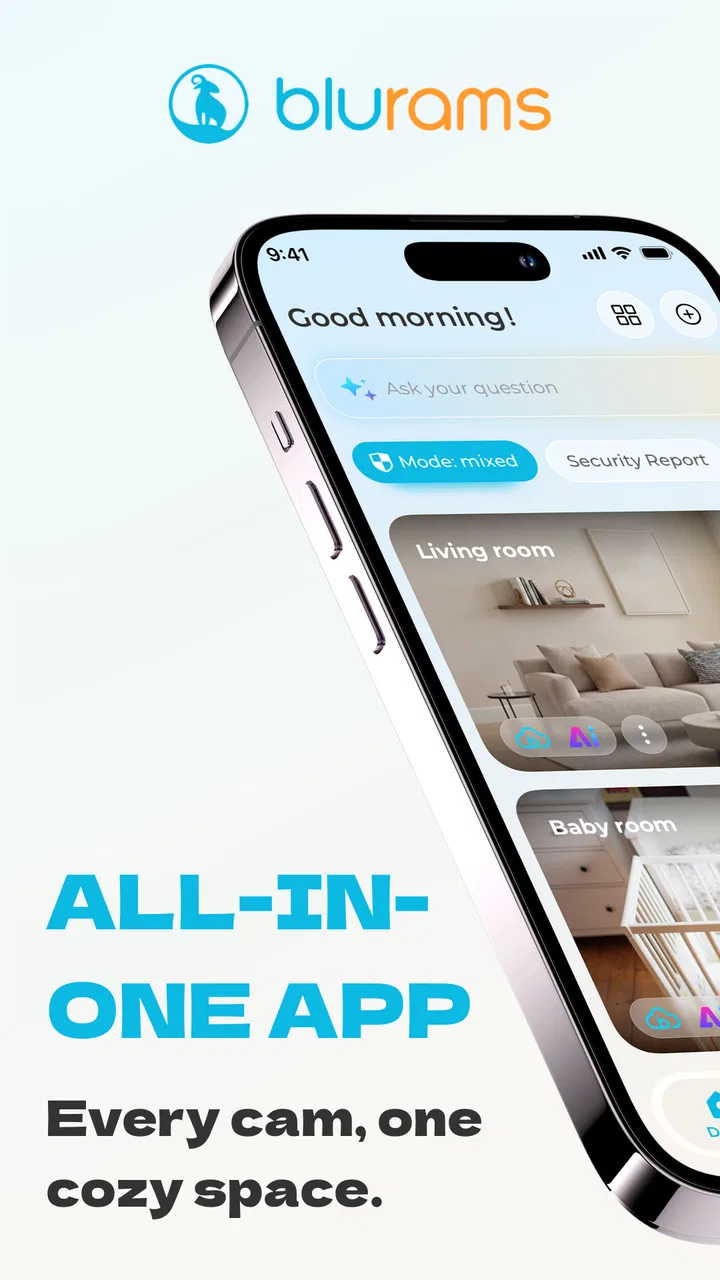
One of the most useful “settings” is not a technical switch but the way you organize your available cameras. If several devices are connected, the order and naming you see can determine how quickly you reach the right view. I recommend arranging your routine around the camera you check most often and learning its position in the app rather than scrolling through every device each time.
This is a small efficiency gain, but it becomes significant when you use the app several times a day. A person checking an entrance before opening the door has a different priority from someone checking a nursery or a pet area. The app works better when the camera layout reflects that priority instead of forcing every user into the same sequence.
Review phone permissions with purpose
On Android, I would review the permissions requested by the app and keep only the access that makes sense for the way I use it. The exact choices depend on the phone and the app version, so I would not change settings blindly. The practical rule is simple: understand which permission supports a feature you actually use, and be cautious about granting access merely because it appears during setup.
This is particularly important for a home camera app because the phone may be used in private spaces. I prefer to know when the app is active, how I return to the normal phone screen, and whether an option is enabled because I chose it or because the operating system suggested it. That awareness is more valuable than turning every available option on.
Think about notifications as interruptions
Notifications can be helpful when they draw attention to something worth checking, but too many alerts can make the app feel noisy. I would begin with the minimum notification setup that supports the intended use. For example, if the camera is mainly for occasional visual checks, I would not want a constant stream of prompts that encourages me to open the app without a clear reason.
On the other hand, someone using a camera near an entrance may prefer faster awareness. The right balance depends on whether the app is supporting occasional reassurance or acting as an alert-driven part of a home routine. I would test the notification behavior during ordinary hours before relying on it for an important situation.
Inspect purchase prompts before committing
The app is free, but in-app purchases range from $1.99 to $129.99 per item. That wide range is a good reason to read each purchase screen carefully rather than assuming a payment is a small one-time upgrade. I would check what the item unlocks, whether it matches my camera and intended workflow, and whether I really need it before confirming anything.
This matters most for casual users. If all you want is to open a live view now and then, a paid option may not be necessary for your basic purpose. A more committed user may decide that an additional service is worthwhile, but that decision should come after using the free core experience and understanding how often the extra capability would actually help.
Use the app on a phone that can handle the routine comfortably
The minimum Android requirement is 7.0, which makes the app accessible to many older devices. Still, compatibility on paper is not the same as comfort in daily use. A phone with limited storage, a weak battery, or an unreliable network may make remote viewing feel slower and less dependable than expected.
I would also consider the screen size. A larger display makes it easier to distinguish a person at a distance or inspect a corner of a room, while a compact phone is convenient for quick checks. Neither is automatically better. The right choice depends on whether you use blurams for fast confirmation or for longer visual observation.
Faster patterns for experienced users
Once the basic routine feels familiar, I would focus on reducing needless taps and making visual comparisons more deliberate. Keeping a consistent order for checking cameras, then comparing a few fixed objects in the scene, can make a brief visit more informative without encouraging constant monitoring. The next question is how far that efficiency can go before the phone-based approach itself becomes limiting.
Build a three-check routine
My preferred pattern is a short sequence: identify the camera, inspect the live scene, and decide what action follows. If the scene is normal, close the app. If something has changed, take a second look from a slightly different moment before acting. This prevents the common mistake of reopening the same screen repeatedly without learning anything new.
For a pet owner, the routine might be checking the room before leaving, checking once during a break, and checking again before heading home. For someone monitoring an entrance, it might be opening the feed only when a visitor or delivery is expected. The app is easier to live with when it supports these deliberate visits instead of becoming a background source of anxiety.
Use phone shortcuts where the operating system allows them
I like to place the app where it is easy to reach and keep its icon visually distinct from unrelated tools. Depending on the phone, the operating system may offer home-screen shortcuts or recent-app behavior that reduces the number of taps needed to return to a familiar task. I would use those options when available, but I would not assume every phone exposes the same shortcut controls.
The important point is to create a repeatable path to the camera rather than relying on memory under pressure. If you frequently check one location, make that check the first thing you can reach. If you monitor several rooms equally, learn a consistent order so that you do not accidentally inspect the wrong view and mistake it for the right one.
Use environmental reference points
A non-obvious improvement is to choose fixed visual reference points in the camera view. A chair, plant, doorway edge, or shelf can help you compare the current scene with what normally belongs there. This is more reliable than judging the entire image at once, especially when lighting changes.
I would not use this as a substitute for a formal security process, but it is helpful for ordinary awareness. If a familiar object is missing, a door is open, or the usual area is blocked, the change becomes easier to notice. The app provides the view; the user supplies the context. Good camera placement and a few remembered reference points make that view more useful.
Separate “checking” from “recording” in your mind
When I open a live feed, I first decide whether I am simply checking the present moment or trying to preserve evidence of something. Those are different tasks. A quick live view can answer what is happening now, but it should not automatically be treated as a complete record of an event.
This distinction helps prevent overconfidence. If a situation matters, I would pay attention to the options presented by the app and the connected camera, read the relevant descriptions, and confirm how they fit my needs before depending on them. I would also avoid assuming that a live image alone provides every detail needed to understand what happened earlier.
Where the experience reaches its limits
My practical limit is reached when a quick remote view is being asked to provide certainty, continuous oversight, or a complete account of an event. In those situations, I would separate everyday reassurance from formal security needs and choose tools suited to the latter. That distinction helps set a fair expectation for the app and makes it clearer when a different kind of setup would serve me better.
A phone viewer is not a complete security system
blurams is a practical way to view a compatible home camera, but I would not choose it as my only tool for a demanding security operation. A phone screen, remote connection, and consumer camera are convenient, yet they can introduce delays and require active attention. If you need centralized control, extensive auditing, or a dedicated always-on display, a specialized security setup may serve you better.
This is not a criticism of the app’s purpose. In fact, its focused design is part of its appeal. Problems appear only when a user expects a simple camera viewer to provide the depth of a professional monitoring platform. I would recommend it for personal home awareness, not as a replacement for every security measure.
Remote viewing depends on more than the app
When a feed takes time to appear, several parts of the chain may be involved: the camera, the home connection, the phone connection, and the app itself. I would troubleshoot in that order instead of immediately blaming the application. First check whether the camera has power and a clear view, then consider the network on both ends, and finally reopen the app if the problem persists.
This layered approach is useful because it avoids unnecessary purchases or repeated reinstallations. It also clarifies when blurams is the right tool. If your home connection is frequently unreliable, no mobile viewer will provide a consistently smooth remote experience. In that situation, improving the network or choosing a system designed around local access may be more valuable than changing apps.
Privacy requires active user judgment
Any home camera deserves careful handling, and blurams is no exception. I would place cameras thoughtfully, avoid areas where people reasonably expect privacy, and limit access to the people who genuinely need it. The Everyone age rating describes the app’s content classification, not a guarantee that every camera placement is appropriate for every household.
I would also be careful when viewing a shared home or a space used by guests. A camera can be technically easy to access while still requiring considerate rules about who knows it is present and when it is used. The app can make remote viewing convenient, but responsible use remains the owner’s job.
Know when another category is a better match
If your main objective is editing clips, blurams is not the natural choice even though it sits within video players and editors. Its purpose is viewing a live feed from a compatible camera, not replacing a video editor or media player. If you want to cut footage, add effects, organize a video library, or publish content, a dedicated tool will be more appropriate.
Likewise, if you want one dashboard for cameras from many unrelated manufacturers, compatibility should be your first concern. blurams is most logical for someone already using, or planning to use, a blurams camera. A broad multi-brand platform may be preferable when your home contains devices from several ecosystems and you do not want separate companion apps.
My verdict after settling into the workflow
I see blurams as a focused, approachable companion for people who want to check a compatible home camera from a phone. The free app, Everyone rating, and Android support beginning at version 7.0 make the entry point straightforward, while its 5.1049.4.893 current version shows that the product remains actively presented as a maintained app experience. I would still judge it by the camera and connection it works with, because those elements shape the real result.
What I like most is the possibility of turning remote viewing into a calm, repeatable habit. Open the app for a reason, reach the relevant camera quickly, compare the scene with familiar reference points, and close it when the question is answered. That approach makes the app feel useful rather than intrusive. It is especially well suited to checking an entrance, keeping an eye on a room, or reassuring yourself about a pet while away.
My reservations are equally practical. Remote access can never be separated from network quality, a poorly positioned camera limits what the feed can show, and optional purchases require careful reading because the listed price range is broad. I would also avoid presenting the app as a professional surveillance replacement or as the right choice for editing and managing unrelated video content.
For a friend who already owns a blurams camera and wants a simple mobile window into the home, I would recommend trying it. I would suggest setting up the camera view carefully, organizing the daily check around one or two clear use cases, and reviewing notifications and purchase screens instead of accepting every option automatically. For someone seeking a multi-brand security hub, advanced monitoring controls, or a full video-production tool, I would point elsewhere. The best results come from matching blurams to its real strength: quick, purposeful access to a compatible home live feed.
FAQs for blurams
01What is blurams and what features does it offer?
Blurams is a security app designed to work with blurams cameras, providing real-time video surveillance and smart alerts. It features AI facial recognition, two-way audio, cloud storage options, and customizable motion detection zones. The app also supports multiple cameras and allows users to share access with family members, making it ideal for home security.
02Is blurams compatible with both Android and iOS devices?
Yes, blurams is compatible with both Android and iOS devices. The app is available for download on the Google Play Store for Android users and the Apple App Store for iOS users. It supports a wide range of smartphones and tablets, ensuring seamless integration with your existing devices.
03How does blurams handle data privacy and security?
Blurams places a strong emphasis on data privacy and security. It uses advanced encryption technologies to protect your video footage and personal information. Additionally, the app offers secure cloud storage options, ensuring that your data is safely stored and accessible only by authorized users.
04Does blurams require a subscription for cloud storage and additional features?
While blurams offers basic functionality without a subscription, users can opt for a subscription plan to access additional features such as extended cloud storage, advanced AI capabilities, and priority customer support. These subscriptions are available at various pricing tiers to suit different needs and budgets.
05Can blurams be integrated with other smart home devices?
Yes, blurams can be integrated with other smart home devices. It supports compatibility with popular smart home ecosystems, including Amazon Alexa and Google Assistant. This allows users to control their blurams cameras using voice commands and create automated routines for enhanced home security.
Pros
- User-friendly interface makes navigation easy.
- High-quality video resolution for clear viewing.
- Offers smart alerts for unusual activity.
- Seamless integration with smart home systems.
- Affordable pricing for premium features.
Cons
- Occasional connectivity issues observed.
- Limited free cloud storage available.
- Requires stable internet for optimal performance.
- App notifications can be delayed at times.
- Advanced features need a subscription.

blurams
Gallery